Home Network Security: What Your Doorbell Can Reach
Nobody is finding your camera by your IP address. They are finding it because UPnP opened a port, or because a password was reused. Turn off the first, fix the second, and put everything else on its own network.
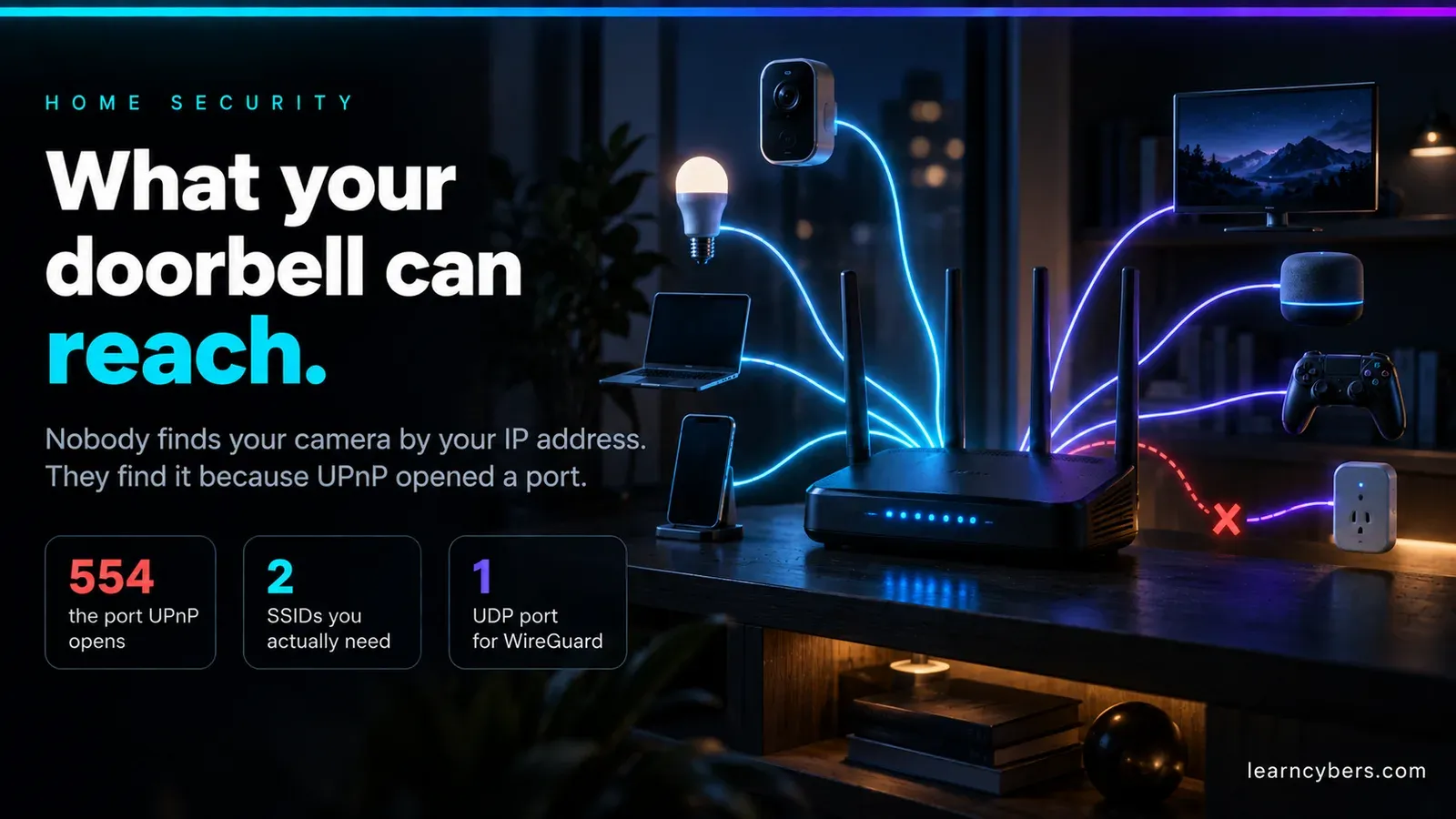
The advice you will find for securing a home full of connected devices is mostly about the devices. Buy the camera with encryption, pick a strong password, keep the firmware current. All reasonable, and none of it addresses the thing that actually decides your exposure, which is what those devices are allowed to reach — each other, your laptop, and the open internet.
This is about the network they sit on. Most of it is free, most of it takes an evening, and the first item alone closes off the way the majority of home cameras end up publicly reachable.
The threat model, stated honestly
Start here, because a lot of home security writing invents a threat that does not exist and then sells you a fix for it.
Nobody is scanning your street for the radio signature of a doorbell. The incidents that actually happen to people fall into three groups:
- Account takeover. The high-profile camera incidents of recent years were overwhelmingly credential stuffing — someone reused a password, that password appeared in an unrelated breach, and an attacker logged into the vendor's app as them. The camera was not hacked. The account was.
- The device is on the public internet. Either the owner forwarded a port to it deliberately, or the router did it for them automatically. Search engines that index internet-connected devices find these continuously, and a camera with a default password does not need an exploit.
- The vendor. Footage sits on someone else's servers, subject to their breaches, their staff access policies and their disclosure practices. You cannot patch this one; you can only decide how much of your home you put through it.
Notice what is not on that list: anything involving your IP address being discovered, which is the premise of a great deal of published advice on this topic. Your home IP is not secret, it is not sensitive on its own, and knowing it does not get anyone into your camera.
Turn off UPnP — this is the one that matters
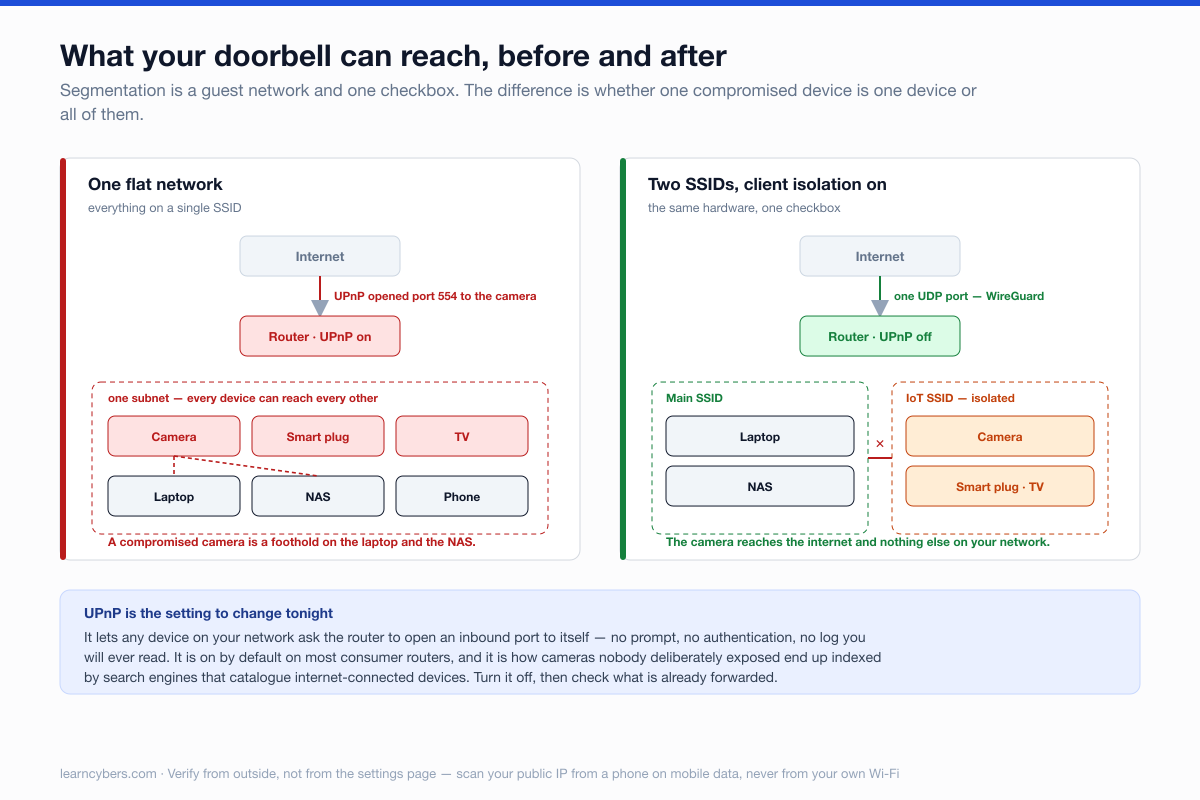
Universal Plug and Play lets any device on your network ask the router to open an inbound port to itself, and the router does it. No prompt, no log entry you will ever read, no authentication. It exists because configuring port forwarding by hand is miserable, and it is on by default in most consumer routers.
It is also the mechanism by which a camera you never deliberately exposed becomes reachable from anywhere in the world.
Find it in your router's admin interface — usually under WAN, NAT or Advanced — and turn it off. Then check what is currently forwarded and remove anything you did not add on purpose.
Something may break. If a device stops working with UPnP off, that device was relying on an open inbound port, and you have just learned something worth knowing about it. Most modern equipment does not need one: cameras, doorbells and hubs reach outward to the vendor's relay service, and outbound connections are unaffected.
Verify from outside rather than trusting the setting. From a phone on mobile data, not on your own Wi-Fi:
# what your router presents to the internet
curl -s ifconfig.me          # your public IP, from inside the house
nmap -Pn -F <that IP>        # from a machine somewhere else entirely
A clean result is no open ports. If you see 80, 443, 554 (RTSP), 8080 or 37777, something is published and you should find out what.
Give the devices their own network
On a flat home network, every device can talk to every other device. Your doorbell can reach your NAS. A smart plug can reach your work laptop. None of them need to, and one compromised device is the whole point at which this matters.
You do not need managed switches or VLANs for this. Almost every router sold in the last five years has a guest network, and that is the tool:
- Create a second SSID for everything that is not a computer or a phone — cameras, plugs, TVs, speakers, the robot vacuum, the printer.
- Turn on client isolation, sometimes labelled AP isolation or "allow guests to see each other", which should be off. This stops the IoT devices reaching each other as well as reaching you.
- Keep laptops, phones, the NAS and anything holding your files on the main network.
The one thing to check before you commit: some devices need to be on the same subnet as your phone for setup, and some casting protocols stop working across the boundary. Set up the device first on the main network, then move it — and be prepared to put the TV back if casting matters to you more than segmentation does.
Getting in from outside, without opening a door
The reason people forward ports is to check their cameras while they are out. There is a better answer, and it is the one piece of the old advice about VPNs that was pointing in roughly the right direction, even if it had the direction backwards.
You do not want a commercial VPN to hide your traffic. You want a VPN server in your house that you connect back into, so your phone is on your home network from anywhere, with nothing exposed but a single authenticated endpoint. WireGuard is the straightforward option, and many routers now ship with it built in.
# minimal WireGuard peer for a phone, on the router or a Pi
[Interface]
PrivateKey = <server key>
Address    = 10.9.0.1/24
ListenPort = 51820

[Peer]                      # the phone
PublicKey  = <phone public key>
AllowedIPs = 10.9.0.2/32
One UDP port, which does not respond at all to anything without a valid key — a scanner sees nothing there. Compare that with a forwarded RTSP port advertising a camera's make and model to everyone who looks.
Look at what your devices are actually saying
This is the step that changes how people think about their own houses, and it costs nothing.
Run a DNS filter — Pi-hole on a Raspberry Pi, or NextDNS if you would rather not host anything — point your router's DHCP at it, and leave it for a week. Then read the query log per device.
You will find things. A television contacting analytics endpoints every few minutes. A smart plug resolving domains in a country you did not expect. A doorbell checking in far more often than its function requires. None of this is necessarily malicious, and some of it is ordinary telemetry — but it is your network, and this is the only way to see it. It also tells you which devices would keep working if the vendor's servers went away, which is a useful thing to know before the vendor goes away.
The vendor account is where the actual break-ins happen
Given the threat model above, this is where the disproportionate effort belongs:
- A unique password per vendor account, from a password manager. Not a variation on one you use elsewhere. Credential stuffing works because variations are easy to guess and reuse is the norm.
- Two-factor, preferably an authenticator app rather than SMS. If the vendor only offers SMS, take it — it still defeats the credential-stuffing case, which is the one that happens.
- Check the shared-access list. Most camera apps let you grant access to family members. Old entries persist through house moves, relationships and flatmates, and nothing reminds you.
- Read what the app will do on a new login. Vendors that email you about a sign-in from a new device are giving you the only alarm that fires for this class of attack.
Buying, and the problem of abandoned devices
The thing that quietly ruins home device security is not a bad product, it is a discontinued one. A camera that stops getting firmware updates is a permanently unpatched Linux computer on your network, and it will keep working perfectly, which is exactly why nobody removes it.
Before buying anything that will sit on your network for years:
- Check when the last firmware update shipped. Two years of silence means the line is over, whatever the product page says.
- Look for a published support window. A vendor willing to state how long they will patch a device is telling you something real; most will not.
- Prefer devices that work without the cloud. Matter and Thread devices can be controlled locally by a hub you own, which means the device survives the company failing — and a device that does not need to reach the internet can be blocked from reaching it.
- Budget for replacement. Treat connected hardware like tyres rather than furniture.
And the router itself
Easy to overlook, because it came with the house or the broadband contract, and it is the one device that is internet-facing by definition.
- Change the admin password. The Wi-Fi password and the admin password are different things, and the second one is frequently still
admin. - Disable remote or WAN-side administration. There is no good reason for your router's login page to be reachable from outside.
- Turn on automatic firmware updates if offered; check manually twice a year if not.
- If your ISP's box is old and unpatched, putting it in bridge mode behind a router you chose is the single biggest upgrade available to a home network.
- Use WPA3 where every device supports it, WPA2-AES where they do not. Turn off WPS — the PIN mechanism is brute-forceable and has been for over a decade.
In order, if you only do some of it
- Tonight: turn off UPnP, clear unrecognised port forwards, change the router admin password, disable WAN admin.
- This week: unique passwords and two-factor on every camera or hub account; audit who else has access.
- This month: move the devices to a guest network with client isolation; set up WireGuard if you check cameras remotely.
- Ongoing: a DNS filter so you can see what is happening, and a note of which devices have stopped receiving updates.
Corrections to the earlier version of this article
This page previously carried three claims that were wrong, and they are worth naming rather than quietly deleting, because all three are common.
It opened with a burglary frequency statistic that had no source. It recommended a specific retailer for cameras. And it advised connecting to a VPN "so no one can access the security system of your house by your IP address" — which describes a threat that does not exist and a mitigation that would not address it. A commercial VPN changes the address your outbound traffic appears from; it does nothing about a port your router has opened inbound, which is the actual exposure. The corrected version of that idea is running a VPN server at home and connecting back into it, covered above.
Device and router settings differ by manufacturer, and the menu names above are the common variants rather than an exhaustive list. We have not tested specific products and recommend none; nothing here is affiliated or paid. The scanning commands are for checking your own connection — run them against networks you are responsible for and nothing else.