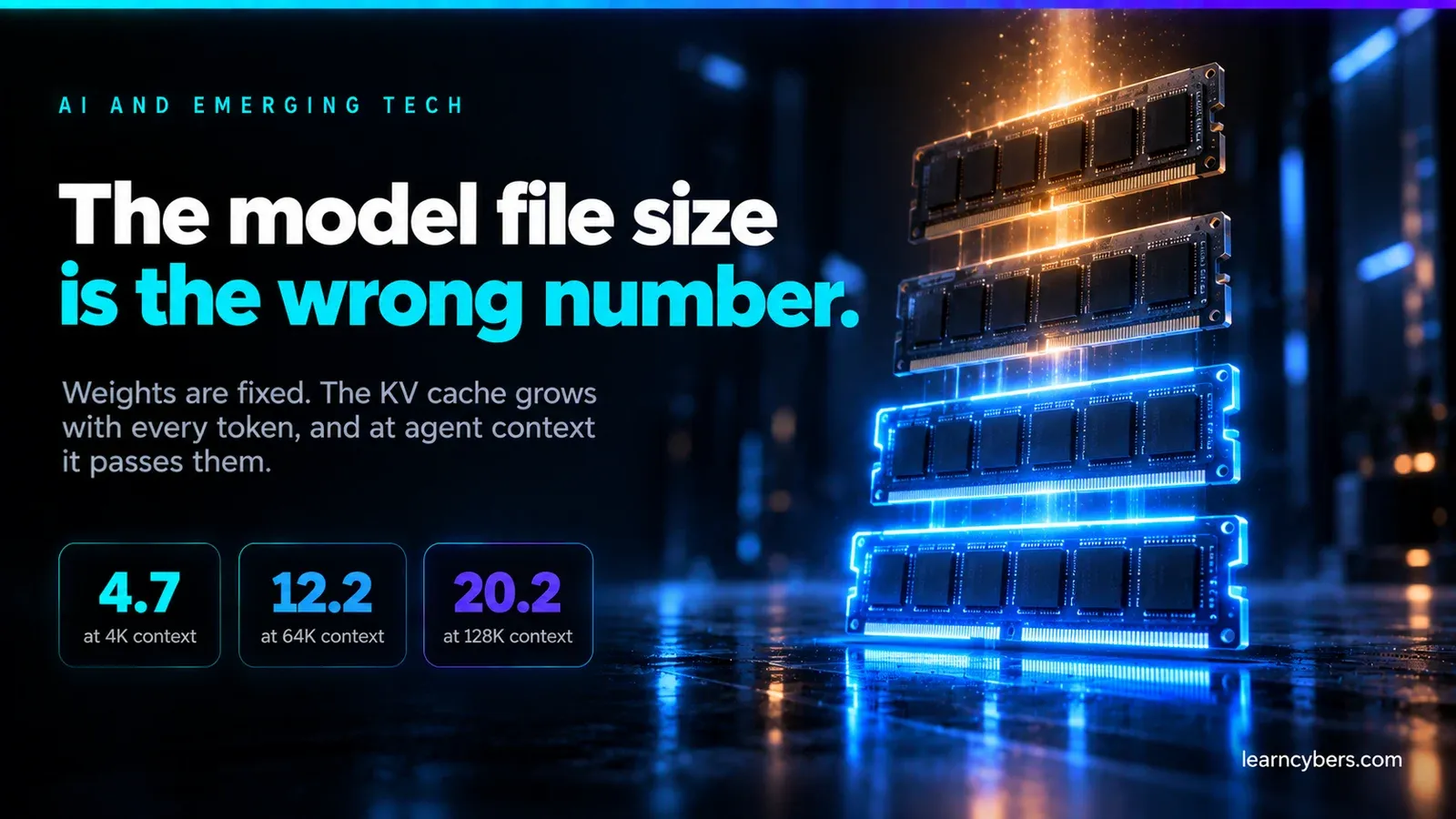
The best GPU for AI training: how to choose by VRAM, not by benchmark
Memory decides what you can train at all. Speed only decides how long it takes.
Most GPU buying advice for AI ranks cards by speed. That is the wrong axis: VRAM decides which models you can train at all, and a card that cannot hold your model is infinitely slow. Here is the arithmetic, tier by tier.
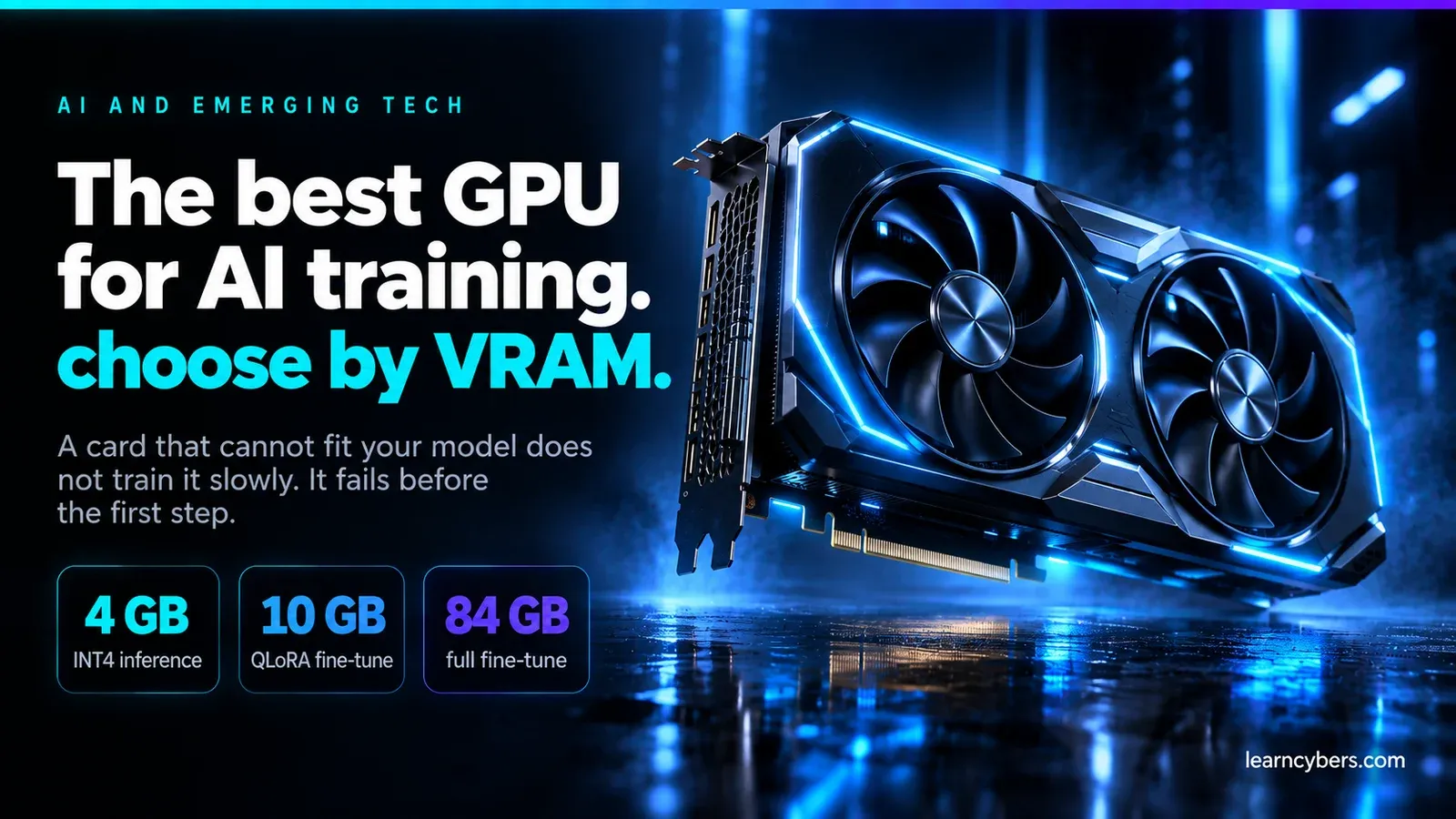
Almost every "best GPU for AI" guide ranks cards by throughput. That is the wrong first question. A GPU that cannot fit your model does not train it slowly — it does not train it at all, and you get an out-of-memory error before the first step completes.
So the order of operations is: work out the memory your job needs, buy the cheapest card that holds it, and only then care about speed. This piece is mostly the arithmetic for step one, because that is the part most guides skip and the part that decides your purchase.
The number that actually constrains you
A model's weights occupy memory in proportion to its parameter count and the precision you store them in:
- FP32 (32-bit float) — 4 bytes per parameter
- FP16 / BF16 (16-bit) — 2 bytes per parameter
- INT8 — 1 byte per parameter
- INT4 — 0.5 bytes per parameter
A 7-billion-parameter model therefore needs roughly 14 GB just to hold its weights in BF16, 7 GB in INT8, and 3.5 GB in INT4. That is before anything else is in memory.
This single calculation explains most of the confusion in forum threads. Someone reports running a 7B model comfortably on a 12 GB card; someone else cannot fit it on 16 GB. They are doing different things — the first is running quantised inference, the second is fine-tuning.
Inference memory: weights plus a bit
For inference you need the weights, the KV cache, and a small working overhead:
total ≈ weights + KV cache + ~1-2 GB overhead

weights   = parameters × bytes-per-parameter
KV cache  = 2 × layers × heads × head_dim × context_length × bytes × batch
The KV cache is the part people forget, and it scales with context length. A long-context session can consume several gigabytes on its own. If you have ever had a model load fine and then fail partway through a long conversation, this is why.
Rule of thumb for inference: take the parameter count in billions, multiply by the bytes per parameter, add 20% for cache and overhead. A 13B model at INT4 needs roughly 13 × 0.5 × 1.2 ≈ 8 GB. A 70B model at INT4 needs roughly 70 × 0.5 × 1.2 ≈ 42 GB — which is why 70B on a single consumer card is awkward and 70B on two 24 GB cards is a common arrangement.
Training memory: four things, not one
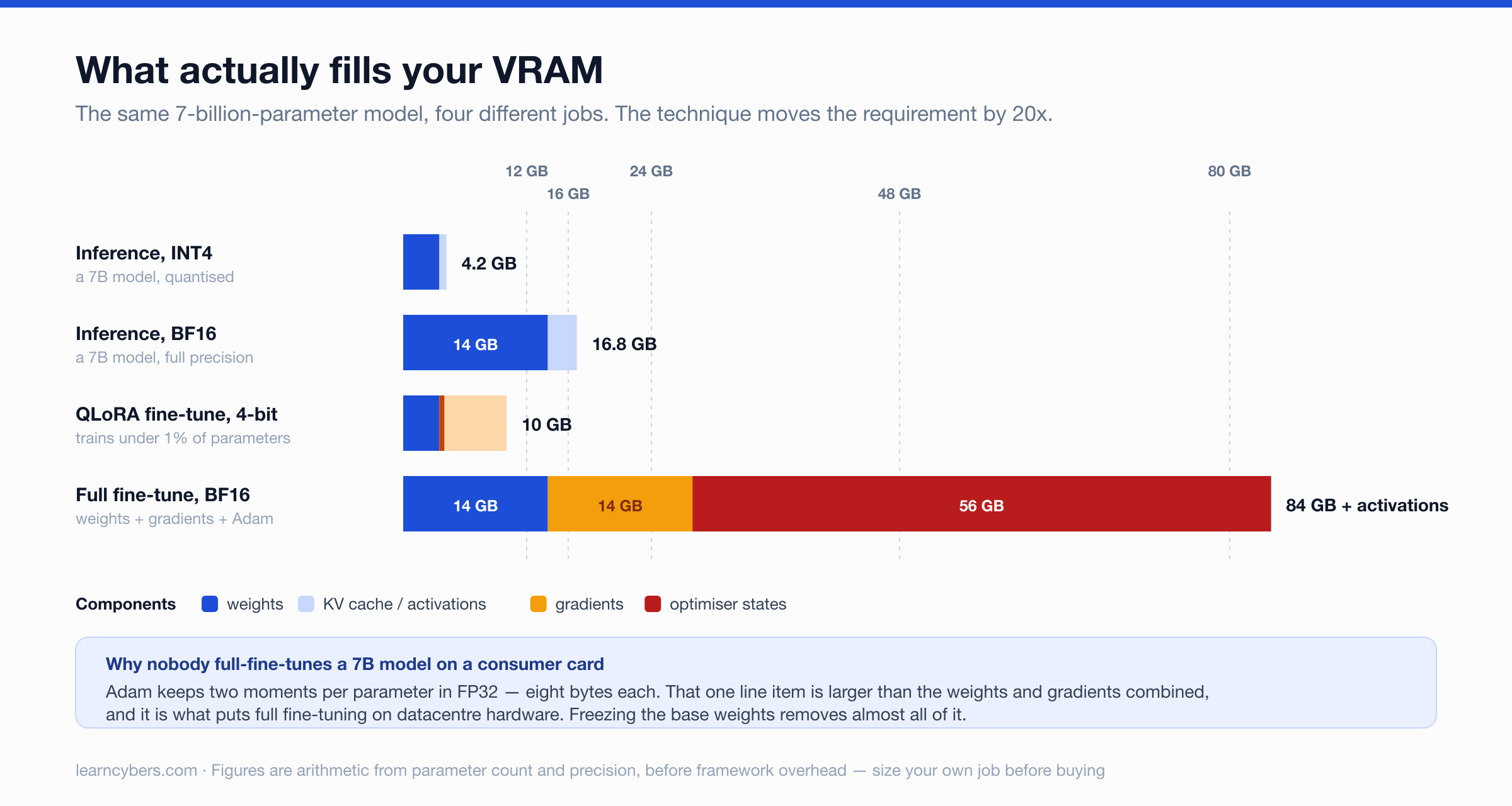
Training is where the requirement explodes, because the weights are the smallest part of what you are holding. Full fine-tuning with the Adam optimiser needs:
- Weights — parameters × 2 bytes (BF16)
- Gradients — one per weight, parameters × 2 bytes
- Optimiser states — Adam keeps two moments, usually in FP32: parameters × 8 bytes
- Activations — depends on batch size, sequence length and whether you use gradient checkpointing
Adding the first three gives roughly 12 bytes per parameter before activations. So full fine-tuning a 7B model needs about 7 × 12 = 84 GB, plus activations. That does not fit on any consumer card, and it is why nobody full-fine-tunes 7B models on a single RTX card.
Why LoRA changed the maths
Low-Rank Adaptation freezes the base weights and trains a small number of additional parameters — often well under 1% of the model. Because gradients and optimiser states are only kept for those trainable parameters, items 2 and 3 above nearly vanish.
The same 7B model under LoRA at 4-bit (QLoRA) looks more like:
base weights (INT4)    7 × 0.5   ≈  3.5 GB
LoRA params + states   small     ≈  0.5 GB
activations + overhead            ≈  4-8 GB
                                  ----------
                                  ≈  8-12 GB
That fits comfortably on a 16 GB card and tightly on 12 GB. This is the single most important practical fact in GPU selection for AI: the technique you use moves the requirement by an order of magnitude, so decide the technique before you decide the card.
Choosing by VRAM tier
Card names change every cycle; the tiers do not. Work out which tier you need and buy the best current card in it.
8–12 GB
Inference on small and quantised models. 7B at INT4 runs well, 13B at INT4 is tight. Training is limited to small LoRA runs on models up to about 7B, with short sequences. A reasonable entry point if you are learning rather than shipping.
16 GB
The first tier where QLoRA on 7B–13B models is comfortable rather than an exercise in memory tuning. Inference on 13B at INT4 is easy, 30B is possible at low quantisation. For most people learning fine-tuning seriously, this is the sensible floor.
24 GB
The consumer workhorse tier, and the one that appears most often in practitioners' setups for good reason. QLoRA on 30B-class models becomes possible; 13B fine-tuning is comfortable; 70B inference works at aggressive quantisation. If you are buying one card and want it to stay useful, this is the tier that ages best.
32–48 GB
Where full fine-tuning of small models and LoRA on large ones both become realistic, and where long-context work stops being a memory negotiation. Also where prices stop being consumer prices.
80 GB and above
Datacentre parts. If you genuinely need this tier, renting is almost always the better answer — see the arithmetic below.
Memory bandwidth matters more than compute for inference
Once your model fits, generation speed is usually bound by how fast the GPU can read the weights out of memory, not by how fast it can multiply. Every token generated requires reading the model's weights.
That gives a useful upper bound you can calculate before buying anything:
max tokens/sec ≈ memory bandwidth (GB/s) ÷ model size in memory (GB)A 7B model at INT4 occupies about 3.5 GB. On a card with 1,000 GB/s of bandwidth the ceiling is roughly 1000 ÷ 3.5 ≈ 285 tokens per second. Real throughput is lower — this ignores attention overhead, sampling and framework inefficiency — but the ratio tells you which of two cards will generate faster, and it explains why a card with more compute but less bandwidth can lose.
It also explains why quantisation speeds things up as well as saving memory: halving the bytes per parameter halves the data read per token.
Where AMD and Apple genuinely stand
This deserves an honest answer rather than either dismissal or enthusiasm.
Nvidia's advantage is CUDA, not silicon. Most training code, most tutorials and most debugging help assume CUDA. When something fails at 2am, the search result that solves it will be written for CUDA. That is a real cost of choosing otherwise, and it is the honest reason most practitioners stay.
AMD's ROCm has become viable for mainstream work — PyTorch supports it, and common inference stacks run. The remaining friction is in the long tail: a specific kernel, a research repository, a custom CUDA extension. If your work is standard fine-tuning and inference, AMD is a real option, often with more VRAM per unit of money. If your work involves anything unusual, budget time for it.
Apple silicon is unusually good at one specific thing: unified memory means the GPU can address a very large pool, so a machine with 64 GB or 128 GB of unified memory can hold models that would need datacentre cards otherwise. Memory bandwidth is lower than a discrete GPU, so generation is slower — but "slower" beats "does not fit". For local inference on large models it is genuinely compelling. For training it is not competitive.
Rent or buy: do the arithmetic
Cloud GPU rental is priced per hour. The break-even calculation is simple and worth doing before spending four figures:
break-even hours = purchase price ÷ hourly rental rateTwo things that calculation leaves out, both of which favour renting more than people expect:
- Electricity and cooling. A 350 W card under sustained load for a month is a real line on a bill, and the room it is in gets warm.
- Depreciation. Accelerator hardware loses value quickly, and a card bought for one project may be a generation behind before the next one starts.
And two that favour buying:
- Utilisation. Rental is only cheap if you switch it off. Instances left running overnight are the single most common way cloud GPU bills surprise people.
- Data. If your training data cannot leave your premises, the decision is made for you.
The honest general answer: rent for training, own for inference. Training is bursty and benefits from briefly renting something far larger than you could justify buying. Inference is continuous, predictable, and the workload where an owned card quietly pays for itself.
A decision procedure
- Name the largest model you actually intend to use, not the one you aspire to.
- Decide inference or training. If training, decide full fine-tuning or LoRA — this moves the answer by roughly 10×.
- Do the memory arithmetic from the formulas above and add 20%. Memory pressure degrades badly: a job that just fits will fail when you lengthen the context.
- Pick the VRAM tier that covers it, then buy the highest-bandwidth card in that tier you can afford.
- Check current prices before committing. GPU pricing moves with supply, and any specific figure in an article ages within weeks.
Four mistakes worth avoiding
- Buying compute when you needed memory. A faster card with less VRAM is a downgrade if it cannot hold your model.
- Ignoring the KV cache. Sizing for weights alone works until you use a long context, then fails.
- Two small cards instead of one larger one. Splitting a model across GPUs works, but introduces communication overhead and a great deal of configuration. One 24 GB card is usually less trouble than two 12 GB cards.
- Forgetting the rest of the machine. A large GPU needs a power supply with headroom, physical clearance, and enough system RAM to load the model before it reaches the card — system RAM of at least the model's size saves a lot of frustration.
The short version
VRAM decides what is possible; bandwidth decides how fast it is; CUDA decides how much of your time goes into fighting the tooling. Work out the memory first, and most of the decision makes itself.