Build a port scanner in Python to understand what nmap is doing
Learn network reconnaissance by building a practical scanning tool from scratch
A threaded and an asyncio TCP connect scanner, built from sockets — plus the limits that explain why nmap exists, and why a version banner is never proof of a vulnerability. Authorised targets only.
Scanning hosts you do not own or have written permission to test is illegal in most jurisdictions, and unauthorised scanning has led to prosecutions. Everything below assumes you are working against your own machines, a lab you built, or a target covered by a signed engagement. Set up a local VM or use a service that explicitly permits scanning, such as scanme.nmap.org, and stay inside that.
You should also be clear that this will not replace nmap. Nmap represents two decades of edge-case handling and a service-fingerprint database you cannot reproduce in an afternoon. The reason to write a scanner is to understand what nmap is doing — after this, its output stops being magic, and you can write targeted tooling when nmap does not fit.
What a port scan actually is
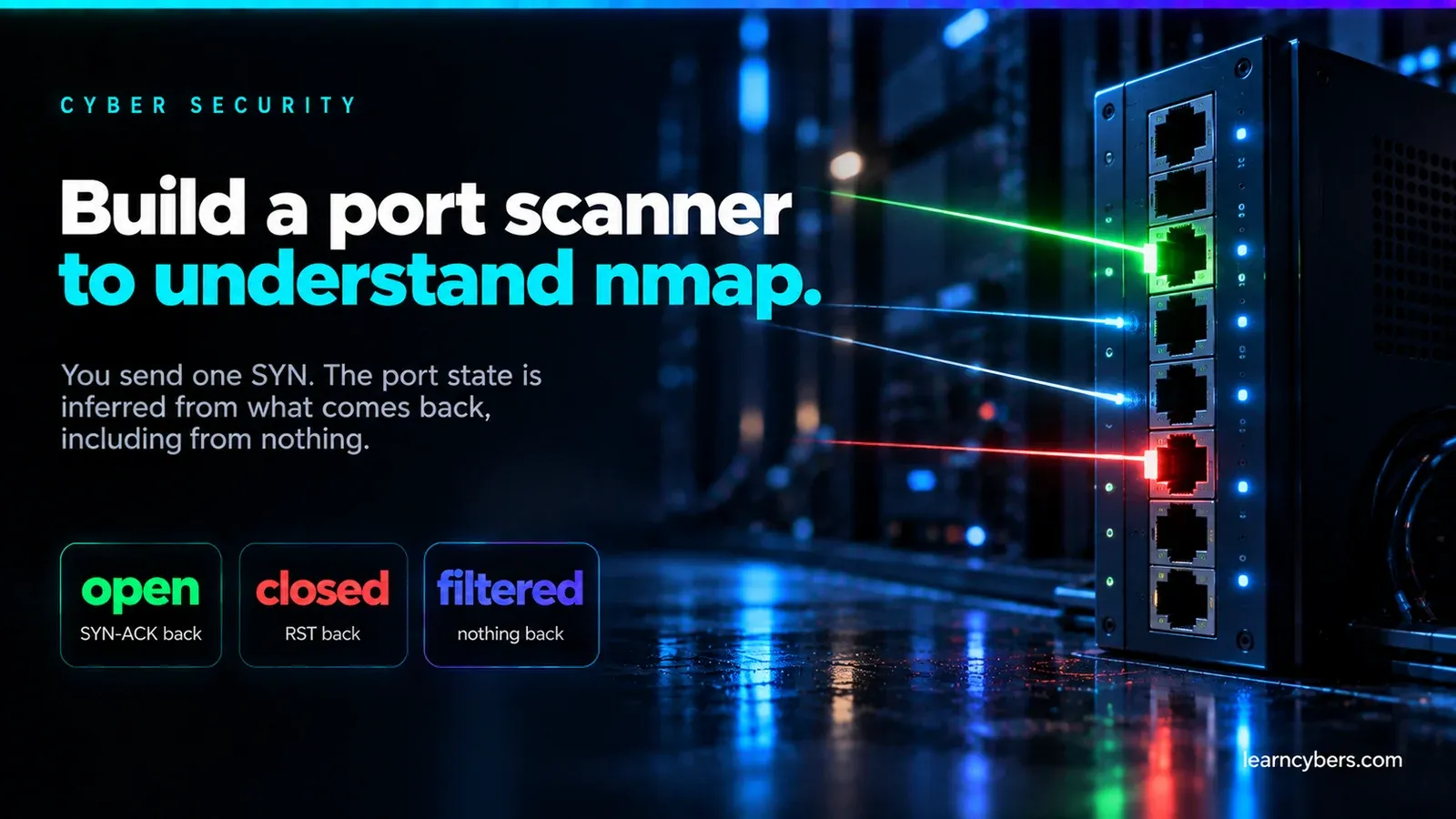
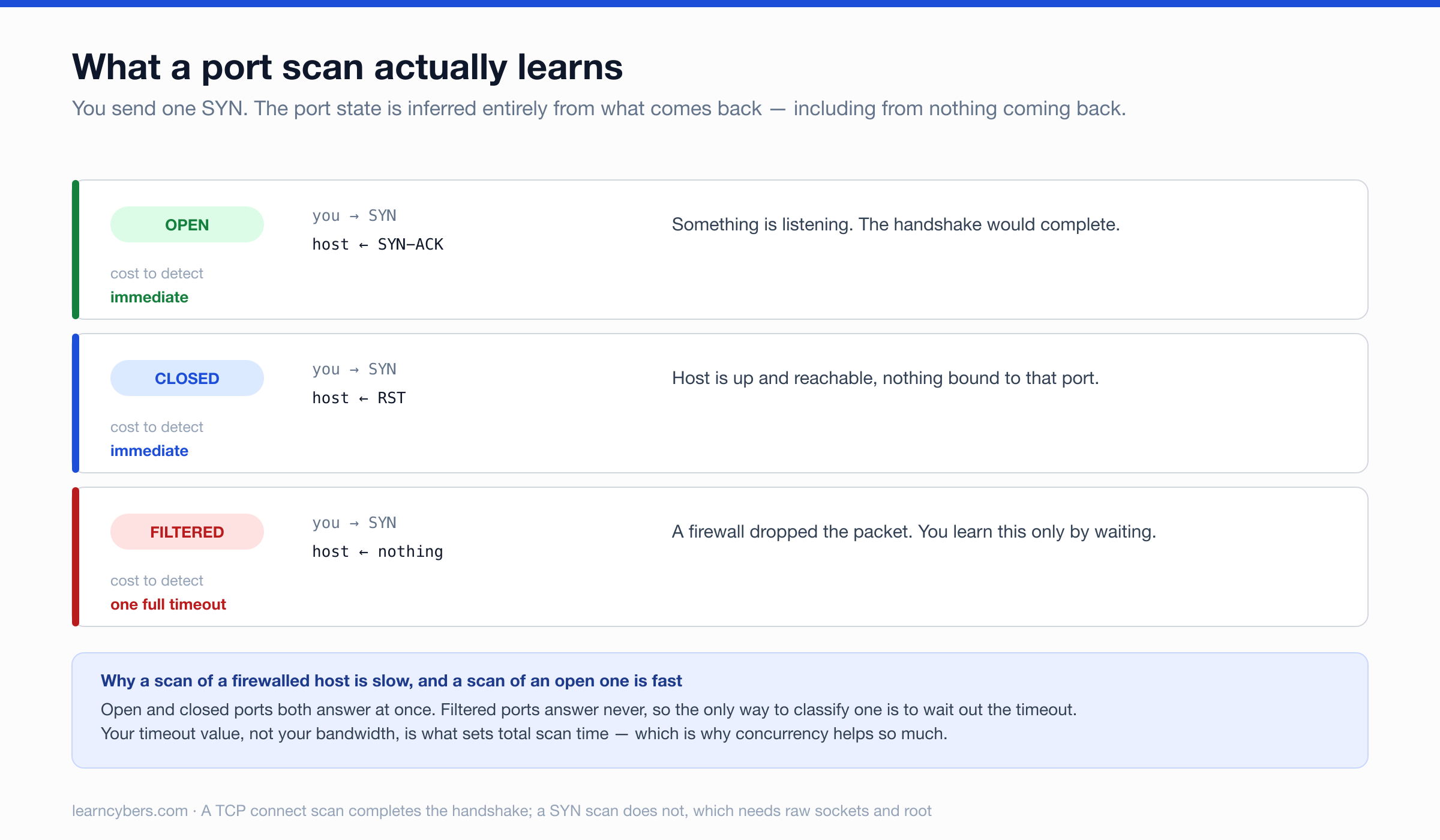
A TCP connection starts with a three-way handshake: the client sends SYN, the server replies SYN-ACK, the client replies ACK. Port state is inferred from what comes back:
- SYN-ACK → something is listening. Open.
- RST → nothing listening, but the host is up and reachable. Closed.
- Nothing at all → a firewall dropped the packet. Filtered.
That third case is why scans are slow. Open and closed both answer immediately; filtered ports are only identified by waiting for a timeout, so the timeout value dominates your scan time.
A connect scan completes the whole handshake using the operating system's normal socket API. A SYN scan sends the SYN and never replies to the SYN-ACK, which is faster and leaves less in application logs, but requires crafting raw packets and therefore root privileges. We are building a connect scan: it needs no special privileges, and it is what nmap falls back to without root.
The simplest version
import socket

def scan_port(host, port, timeout=1.0):
    with socket.socket(socket.AF_INET, socket.SOCK_STREAM) as sock:
        sock.settimeout(timeout)
        return sock.connect_ex((host, port)) == 0

target = "127.0.0.1"
for port in range(1, 1025):
    if scan_port(target, port):
        print(f"{port}/tcp open")
connect_ex rather than connect is the detail that matters: it returns an error code instead of raising, so you are not handling exceptions in the hot path. Zero means the connection succeeded.
This works and it is unusably slow. Sequential scanning with a one-second timeout means 1,024 ports take up to 17 minutes against a filtered host, because you wait out every timeout one at a time.
Concurrency
Port scanning is almost entirely waiting on the network, so threads help enormously despite the GIL — a blocked socket releases it.
import socket
from concurrent.futures import ThreadPoolExecutor, as_completed

def scan_port(host, port, timeout=1.0):
    with socket.socket(socket.AF_INET, socket.SOCK_STREAM) as sock:
        sock.settimeout(timeout)
        return port if sock.connect_ex((host, port)) == 0 else None

def scan(host, ports, workers=100, timeout=1.0):
    open_ports = []
    with ThreadPoolExecutor(max_workers=workers) as pool:
        futures = [pool.submit(scan_port, host, p, timeout) for p in ports]
        for f in as_completed(futures):
            if (p := f.result()) is not None:
                open_ports.append(p)
    return sorted(open_ports)

print(scan("127.0.0.1", range(1, 1025)))
Seventeen minutes becomes a few seconds. Two limits on workers: your own file descriptor ceiling (ulimit -n, often 1024, and each socket consumes one), and the target — several hundred simultaneous connections looks like a denial of service attempt and will get you blocked, rate-limited, or reported. On anything other than your own lab, keep it modest.
The asyncio version
For wide scans, coroutines scale better than threads because there is no per-connection thread stack:
import asyncio

async def scan_port(host, port, timeout=1.0):
    try:
        fut = asyncio.open_connection(host, port)
        reader, writer = await asyncio.wait_for(fut, timeout=timeout)
        writer.close()
        await writer.wait_closed()
        return port
    except (asyncio.TimeoutError, OSError):
        return None

async def scan(host, ports, concurrency=500, timeout=1.0):
    sem = asyncio.Semaphore(concurrency)
    async def bounded(p):
        async with sem:
            return await scan_port(host, p, timeout)
    results = await asyncio.gather(*(bounded(p) for p in ports))
    return sorted(p for p in results if p is not None)

print(asyncio.run(scan("127.0.0.1", range(1, 65536))))
The semaphore is not optional. Without it, gather over 65,535 ports opens every socket at once, exhausts your file descriptors, and produces results that are wrong rather than fast.
Banner grabbing
An open port tells you something is listening. Reading what it says on connect tells you what:
def grab_banner(host, port, timeout=2.0):
    try:
        with socket.socket(socket.AF_INET, socket.SOCK_STREAM) as sock:
            sock.settimeout(timeout)
            sock.connect((host, port))
            if port in (80, 8080, 8000):
                sock.send(b"HEAD / HTTP/1.0\r\n\r\n")
            return sock.recv(1024).decode(errors="ignore").strip()
    except OSError:
        return None
Protocols differ in who speaks first. SSH, FTP and SMTP send a greeting on connect, so you just read. HTTP waits for a request, so you send one. A scanner that only reads will report HTTP ports as having no banner.
Do not conclude vulnerability from a version string
You will read that an SSH banner of OpenSSH_7.4 means the host is vulnerable to a given CVE. Treat that as a hypothesis, not a finding.
Enterprise distributions backport security fixes without changing the upstream version number. A RHEL box reporting OpenSSH_7.4 may have every relevant patch applied while still advertising 7.4 forever, because the distribution's package version is what changed. Banner-based reporting is the single largest source of false positives in amateur vulnerability reports.
The banner narrows where to look. Confirmation needs the distribution's package version, or a safe behavioural check.
Putting it together
import argparse, asyncio, socket

COMMON = {21:"ftp", 22:"ssh", 23:"telnet", 25:"smtp", 53:"dns", 80:"http",
          110:"pop3", 143:"imap", 443:"https", 445:"smb", 3306:"mysql",
          3389:"rdp", 5432:"postgres", 6379:"redis", 8080:"http-alt"}

def parse_ports(spec):
    ports = set()
    for part in spec.split(","):
        if "-" in part:
            a, b = part.split("-")
            ports.update(range(int(a), int(b) + 1))
        else:
            ports.add(int(part))
    return sorted(p for p in ports if 1 <= p <= 65535)

async def main():
    ap = argparse.ArgumentParser()
    ap.add_argument("host")
    ap.add_argument("-p", "--ports", default="1-1024")
    ap.add_argument("-c", "--concurrency", type=int, default=200)
    ap.add_argument("-t", "--timeout", type=float, default=1.0)
    args = ap.parse_args()

    ip = socket.gethostbyname(args.host)
    print(f"Scanning {args.host} ({ip})\n")

    open_ports = await scan(ip, parse_ports(args.ports),
                            args.concurrency, args.timeout)
    for p in open_ports:
        service = COMMON.get(p, "unknown")
        print(f"{p:>5}/tcp  open   {service}")
    if not open_ports:
        print("No open ports found in range.")

asyncio.run(main())python scanner.py 127.0.0.1 -p 1-1024
python scanner.py scanme.nmap.org -p 22,80,443 -c 20What you are not doing, and why it matters
Understanding the gaps is the actual lesson:
- Closed and filtered look the same here.
connect_exreturns non-zero for both, so you cannot tell "nothing listening" from "firewall dropped it" — which is exactly the information that tells you a firewall exists. - No UDP. UDP is connectionless, so there is no handshake to interpret; you send a protocol-appropriate probe and infer from the reply or an ICMP port-unreachable message. It is slow and unreliable, which is why DNS and SNMP get missed by TCP-only scans.
- No service fingerprinting. A port-to-name table is a guess. Nmap sends dozens of probes and matches responses against thousands of signatures, which is how it identifies a service running on a non-standard port.
- No IPv6.
AF_INETis IPv4 only. Usesocket.getaddrinfoto handle both. - Loud. A full connect handshake to every port lands in the target's logs and trips any intrusion detection worth the name.
Staying on the right side of it
- Written authorisation before you start, naming the hosts and the time window. Verbal permission is not authorisation.
- Stay in scope. Scanning an address next to your target because it looked interesting is outside the agreement.
- Keep the concurrency low on anything live. Knocking over a production service during reconnaissance turns a test into an incident.
- Log what you did — timestamps, targets, parameters — so your traffic can be distinguished from a real attack during the same window.
- Report findings privately to the owner and nowhere else.
For legal practice targets, build a local lab with VirtualBox or Docker, or use an intentionally vulnerable environment designed for it. The code here runs the same against a VM on your laptop, and nobody has to take your word for the authorisation.