Is that online tool actually private? How to check before you paste a token
Developer utilities that run entirely in your browser — nothing leaves your machine
“Processed in your browser” is a claim about the tool's own code, not about the other scripts on the page. Four checks in order of what they prove — starting with the ten-second offline test that settles it.
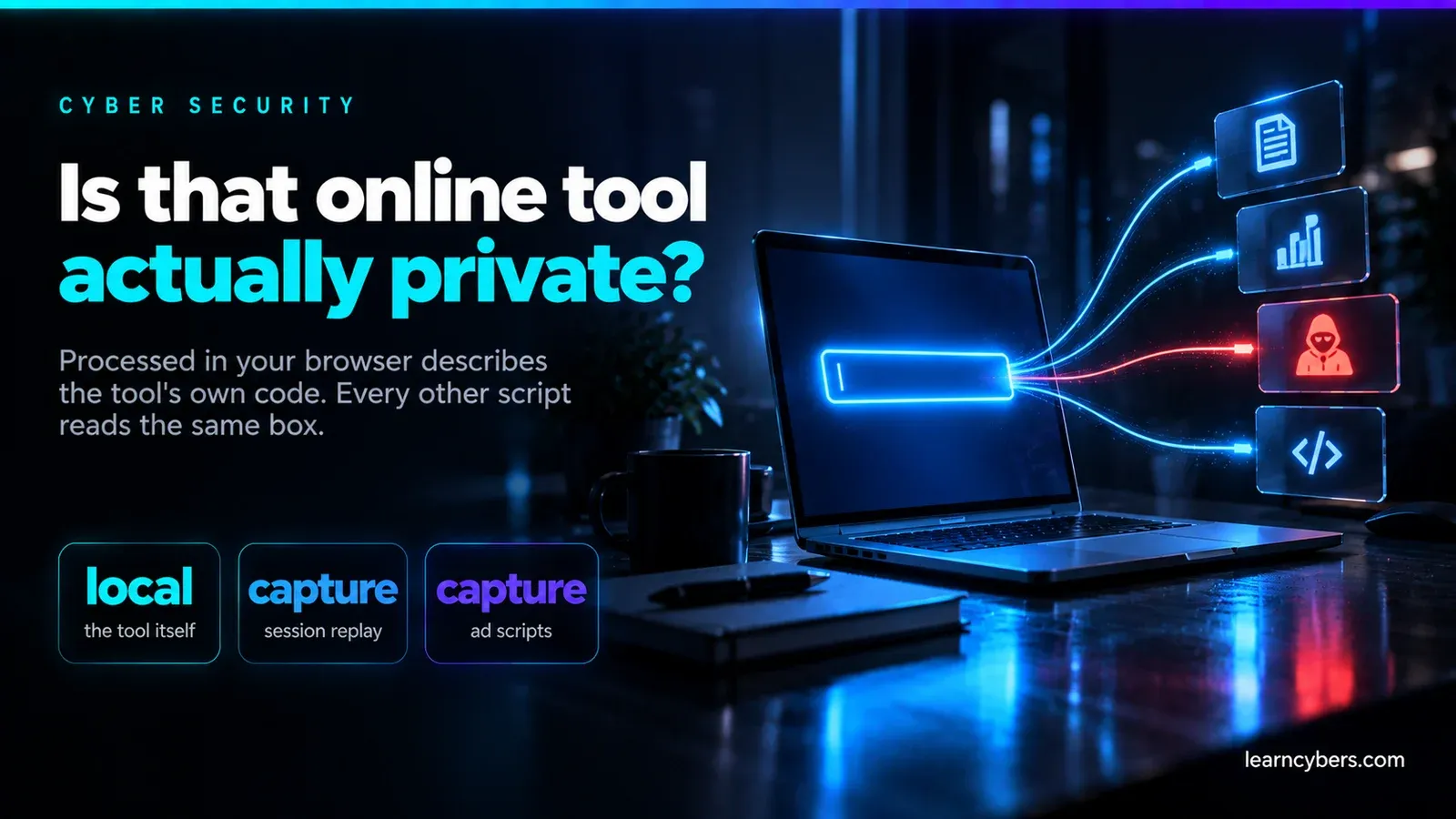
A JWT is not a string. It is a live session — paste one into a debugger and, until it expires, whoever holds it can be you. The same is true of an API key, a database connection string, or a config file with credentials in it.
Most online developer tools now say some version of "everything is processed in your browser, nothing is sent to our servers". Often that is true. It is also unverifiable as stated, and even when it is completely honest it does not cover everything that can read what you typed.
Here is how to check properly, in order of how much each check actually proves.
Check 1: the offline test
This is the decisive one, it takes ten seconds, and almost nobody does it.
- Load the tool's page and let it finish loading.
- Disconnect: turn off Wi-Fi, or open DevTools → Network → set throttling to Offline.
- Now use the tool.
If it still works with no network, the computation is genuinely happening on your machine and nothing could have been transmitted. If it hangs, errors, or spins, the work was being done somewhere else.
This proves more than any amount of reading network logs, because it is not a claim about what the tool did — it is a demonstration that it does not need a server at all.
One caveat: do the offline test with sample data first. Confirm the tool is local, reconnect, then decide whether you still want to paste the real thing.
Check 2: read the Network tab — and know its limits
The usual advice is to open DevTools, watch the Network tab, and look for requests. Worth doing, but weaker than it sounds.
Open DevTools (F12) → Network → clear the log → use the tool. Watch for fetch/XHR entries and, importantly, Ping and Other entries.
What this does not rule out:
- Conditional exfiltration. A script can send only when the input matches a pattern — only for strings that parse as a JWT, only for keys with a particular prefix. Your test input may not trigger it.
- Delayed or batched sending. Data can be queued and flushed later, or on page unload via
navigator.sendBeacon(), which is easy to miss if you stop watching. - Covert channels. Setting
new Image().srcto a URL containing your data is a GET request that looks like an image load. - Sampling. Send on one visit in fifty and the behaviour is invisible in casual testing.
The Network tab tells you what happened on that run. The offline test tells you what is possible.
Check 3: everything else on the page can read the box too
This is the part that gets missed, and it is the reason an honest tool can still leak.
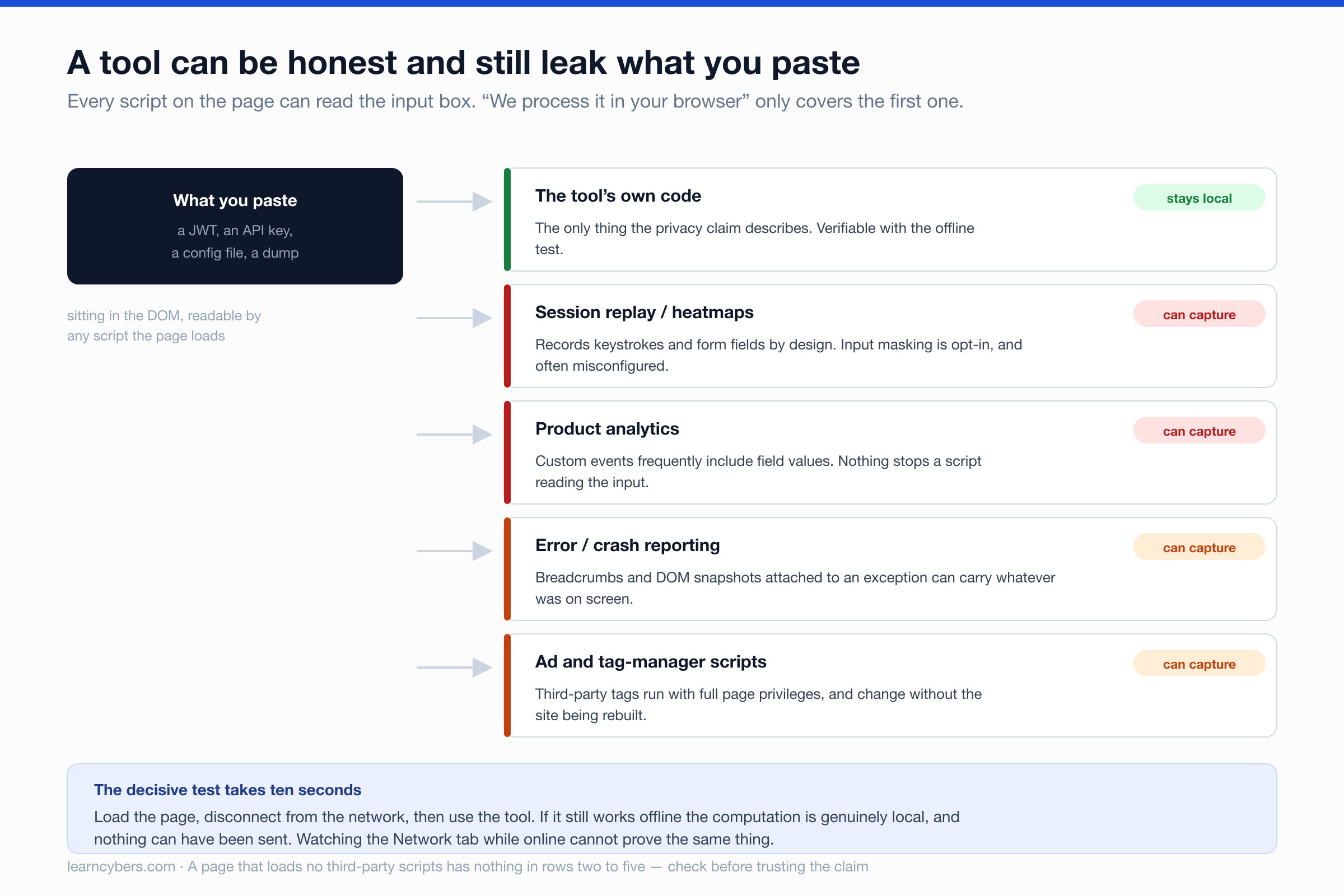
"We process your data in the browser" is a statement about the tool's own code. It says nothing about the other scripts the page loads, and every one of them runs with full access to the DOM — including the input element you just pasted into.
Session replay and heatmap tools are the sharpest example. Recording what users type into forms is their entire function. They offer input masking, but it is configuration, and configuration is frequently wrong or applied only to fields marked as passwords. A textarea labelled "paste your token here" is not a password field.
Error reporting can attach DOM snapshots and breadcrumbs to an exception. If the tool throws while your secret is on screen, the secret may travel with the report.
Tag managers and ad scripts execute third-party code that can change at any time without the site being redeployed. The site owner's privacy claim was true when they wrote it and is not under their control afterwards.
To check, sort the Network tab by Domain and look at every origin the page contacts. A genuinely private tool page usually contacts exactly one: its own.
Check 4: read the Content-Security-Policy
A page's CSP declares where it is permitted to send data. It is a ceiling rather than a description of behaviour, but a tight one is meaningful and a loose one is a warning.
curl -sI https://example.com/tools/jwt-decoder/ | grep -i content-security-policyLook at connect-src. If it is 'self' alone, the browser will block outbound requests anywhere else — that is enforced by the browser, not promised by the site. If it is * or absent, the policy is not constraining anything.
Check script-src as well: it lists the origins allowed to run code on the page, which is the set of parties that could read your input.
What client-side genuinely cannot do
Some tools legitimately need a server, and a tool claiming otherwise would be lying:
- Anything requiring a network connection to a third party — port scans, DNS lookups, TLS certificate inspection, HTTP header analysis. The browser's same-origin policy prevents a page from making these connections.
- Anything requiring data you do not have — breach databases, WHOIS, IP geolocation, CVE lookups.
- Heavy computation that would be impractical in a browser tab.
For these, the question changes from "is it local" to "do I trust the operator". Prefer open-source and self-hostable, and never submit anything to them you would mind being logged — which, for a scanner, means scan only hosts you own.
The option that removes the question
For genuinely sensitive values, the strongest answer is not a better website. It is not using one:
# Decode a JWT payload (base64url -> JSON)
echo "$JWT" | cut -d. -f2 | tr '_-' '/+' | base64 -d 2>/dev/null | jq .

# Base64
printf %s 'text' | base64
printf %s 'dGV4dA==' | base64 -d

# Hashes
printf %s 'text' | sha256sum
sha256sum ./file.iso

# File permissions as octal
stat -c '%a %n' ./file

# Format and validate JSON
jq . ./config.json

# URL-encode a component
python3 -c 'import urllib.parse,sys;print(urllib.parse.quote(sys.argv[1]))' 'a b&c'

# A strong random password
openssl rand -base64 24

# Subnet arithmetic
python3 -c 'import ipaddress,sys;n=ipaddress.ip_network(sys.argv[1]);print(n.network_address,n.broadcast_address,n.num_addresses)' 10.0.0.0/24
No tab, no scripts, no question of trust. Worth putting the JWT one in your shell profile as a function — it is the tool people reach for a website to do most often.
(Base64 padding and base64url handling differ slightly between base64 implementations; if a decode fails, that is usually why rather than a malformed token.)
A rule of thumb
What you are handling | Where to handle it |
|---|---|
Production token, live API key, real credentials | Command line only |
Staging or development token | A web tool you have run the offline test on |
Example or documentation values | Any tool |
Something that must contact a third party | A server-side tool you have chosen deliberately |
Our own tools, and how to check them
We run a set of client-side utilities — JWT decoder, hash generator, password generator and entropy calculator, Base64 and URL encoders, JSON formatter, CIDR and subnet calculators, chmod calculator, cron parser, IP converter. They compute in the browser.
Rather than ask you to take that on trust: run the offline test on any of them. Then sort the Network tab by domain — at the time of writing our tool pages load no third-party script tags at all, so rows two to five of the diagram above are empty for them. You can confirm that in about thirty seconds, and you should, for us and for everyone else.
The website security scanner is the deliberate exception: it necessarily contacts the host you ask it to analyse, because that is the job. It sends the domain you enter and nothing else.
Common questions
Is it safe to decode a JWT online?
For a test or staging token, on a tool that passes the offline test, the risk is low. For a production token carrying a live session, use the command line. A JWT stays valid until it expires — there is no way to un-paste it.
Does HTTPS mean my data is safe?
No. HTTPS protects data in transit from third parties. It says nothing about what the destination does with it, and nothing at all about scripts running inside the page you are on.
The site has a privacy policy saying they do not store input. Is that enough?
It is a statement of intent, and it does not cover a breach, a subpoena, an acquisition, or a third-party script the operator did not write. The offline test is better than any policy, because it demonstrates the data cannot leave rather than promising it will not.
What if I already pasted something sensitive?
Rotate it. Treat a pasted credential as disclosed from the moment it left your clipboard, and revoke or reissue rather than hoping. Rotation is cheap; the alternative is finding out later.
Browser behaviour, DevTools layout and CSP support vary between versions — check the current documentation if something described here is not where you expect it.