Nginx reverse proxy with SSL: the config, and the four things that break after it
Configure Nginx as a production-ready reverse proxy with HTTPS, caching, and load balancing
A working reverse proxy config is the easy part. Lost client addresses, buffered streaming, silent WebSocket failures and security headers that vanish on error pages are what actually cost you an afternoon.

Most Nginx reverse proxy guides give you a config block that works, and stop there. The block works for a static page and then quietly breaks the first time you add a login form, a WebSocket, or a server behind Cloudflare — because three of the defaults are wrong for almost every real application.
This covers the working configuration, then the four things that go wrong afterwards: lost client addresses, buffered streaming responses, WebSocket upgrades that fail silently, and security headers that vanish on error pages.
What a reverse proxy is doing
It sits in front of your application and terminates the connection from the client. Your application no longer handles TLS, no longer sees the raw internet, and can bind to localhost instead of a public interface. The proxy handles TLS, compression, caching, rate limiting and headers; the application handles the application.
The security gain is often understated. A backend bound to 127.0.0.1:3000 cannot be reached from outside the machine at all, whatever its own authentication does or fails to do.
A configuration that works
upstream app {
    server 127.0.0.1:3000;
    keepalive 32;                 # reuse connections to the backend
}

server {
    listen 80;
    server_name example.com;
    return 301 https://$host$request_uri;
}

server {
    listen 443 ssl;
    http2 on;
    server_name example.com;

    ssl_certificate     /etc/letsencrypt/live/example.com/fullchain.pem;
    ssl_certificate_key /etc/letsencrypt/live/example.com/privkey.pem;
    ssl_protocols       TLSv1.2 TLSv1.3;
    ssl_prefer_server_ciphers off;

    location / {
        proxy_pass http://app;
        proxy_http_version 1.1;              # required for keepalive
        proxy_set_header Host              $host;
        proxy_set_header X-Real-IP         $remote_addr;
        proxy_set_header X-Forwarded-For   $proxy_add_x_forwarded_for;
        proxy_set_header X-Forwarded-Proto $scheme;
        proxy_set_header Connection        "";   # keepalive to upstream
    }
}
Two lines in there are load-bearing and often omitted. proxy_http_version 1.1 is required for keepalive to the backend — without it every request opens a new connection. And proxy_set_header Connection "" clears the close header that would otherwise defeat it.
The client IP problem
Your application now sees every request as coming from the proxy. The headers above pass the real address along, but two things commonly go wrong with them.
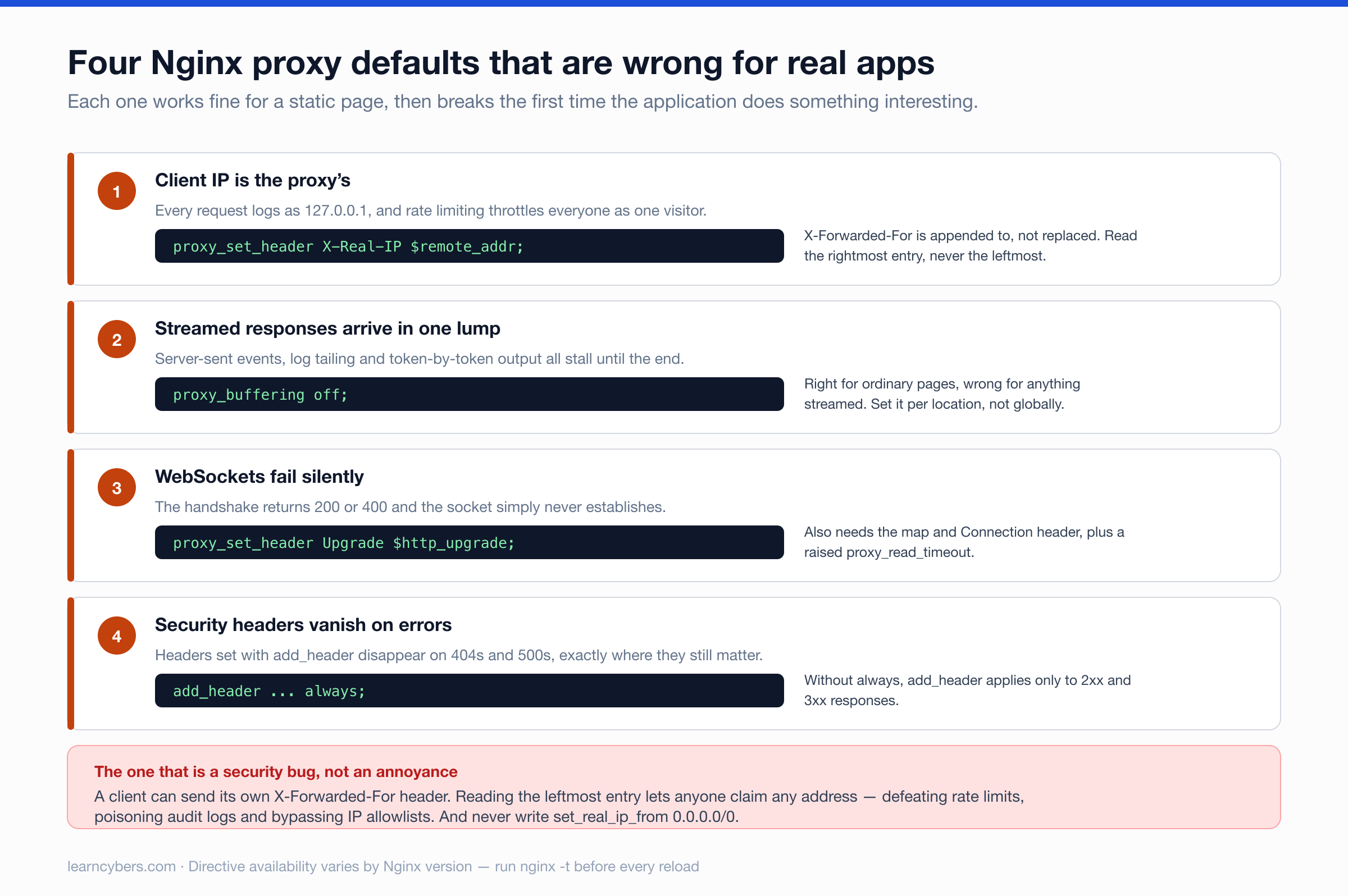
X-Forwarded-For is a list, and it is attacker-controlled. A client can send its own X-Forwarded-For, and $proxy_add_x_forwarded_for appends to whatever arrived rather than replacing it. If your application reads the leftmost entry — which is the common advice — a client can claim any address it likes, which breaks rate limiting and audit logs and can bypass IP allowlists.
Read the rightmost entry, which is the one your own proxy appended, or use X-Real-IP, which the config above sets rather than appends.
If another proxy sits in front of Nginx — Cloudflare, a load balancer — then Nginx itself sees that proxy's address, and passes it on faithfully. Tell Nginx which upstream proxies to trust:
set_real_ip_from 173.245.48.0/20;     # Cloudflare ranges, keep updated
set_real_ip_from 103.21.244.0/22;
real_ip_header CF-Connecting-IP;
real_ip_recursive on;
Only list ranges you actually trust. set_real_ip_from 0.0.0.0/0 appears in a lot of copied configs and means "believe any client's claim about its own address", which is worse than doing nothing.
WebSockets
WebSocket connections start as HTTP and ask to be upgraded. Nginx will not forward the upgrade unless told to, and the failure mode is unhelpful: the handshake returns 200 or 400 and the connection simply never establishes.
map $http_upgrade $connection_upgrade {
    default upgrade;
    ''      close;
}

location /ws/ {
    proxy_pass http://app;
    proxy_http_version 1.1;
    proxy_set_header Upgrade    $http_upgrade;
    proxy_set_header Connection $connection_upgrade;
    proxy_read_timeout 3600s;       # else idle sockets drop at 60s
}
The map matters: hardcoding Connection "upgrade" on a location that also serves ordinary requests breaks keepalive for those. And the read timeout is the second most common WebSocket complaint — the default 60 seconds closes any connection that goes quiet, which for a chat or notification socket is constantly.
Streaming and buffering
Nginx buffers responses by default. For ordinary pages that is a benefit — it frees the backend as soon as it has written its response. For anything streamed it is a bug: server-sent events, long-polling, log tailing, and token-by-token LLM responses all arrive in one lump at the end, or not at all.
location /stream/ {
    proxy_pass http://app;
    proxy_buffering off;
    proxy_cache off;
    proxy_read_timeout 3600s;
    add_header X-Accel-Buffering no;     # also disables buffering downstream
}
Turn it off only on the paths that need it. Disabling buffering globally makes every slow client hold a backend worker open, which is exactly what the proxy was there to prevent.
TLS with Let's Encrypt
sudo apt install certbot python3-certbot-nginx
sudo certbot --nginx -d example.com -d www.example.com
systemctl list-timers | grep certbot        # confirm renewal is scheduled
sudo certbot renew --dry-run                # confirm renewal actually works
Run the dry run. Renewal failing silently two months later, on a timer nobody watches, is the ordinary way certificates expire. Note also that certbot edits your config in place — if you manage Nginx config in git, commit before and after so you can see what it changed.
Security headers, and the flag everyone forgets
add_header Strict-Transport-Security "max-age=31536000" always;
add_header X-Content-Type-Options    "nosniff"            always;
add_header X-Frame-Options           "SAMEORIGIN"         always;
add_header Referrer-Policy           "strict-origin-when-cross-origin" always;
Without always, Nginx omits these on error responses — so your 404 and 500 pages ship without them, and those are pages an attacker is more likely to reach than your homepage.
There is a second trap: add_header in a location block replaces every inherited header rather than adding to it. Set one header inside a location and you silently drop all the ones defined at server level. Keep them in one place, or repeat the whole set.
Consider includeSubDomains and preload on HSTS carefully rather than by default — both are effectively irreversible, and preload affects every subdomain you own, including ones that may not have certificates.
Load balancing
upstream app {
    least_conn;
    server 10.0.0.1:3000 max_fails=3 fail_timeout=30s;
    server 10.0.0.2:3000 max_fails=3 fail_timeout=30s;
    server 10.0.0.3:3000 backup;
    keepalive 32;
}
least_conn sends each request to the backend with the fewest active connections, which suits variable request durations better than round-robin. ip_hash pins a client to one backend for session persistence — useful if sessions are held in memory, and a sign you should move them to Redis instead.
The max_fails and fail_timeout pair is the passive health check, and it is worth setting explicitly: without it, a backend that starts refusing connections keeps receiving traffic.
Performance
worker_processes auto;

gzip on;
gzip_min_length 1000;
gzip_types text/plain text/css application/json application/javascript
           application/xml image/svg+xml;
gzip_vary on;

proxy_buffering  on;
proxy_buffer_size 4k;
proxy_buffers     8 4k;
Do not gzip images or video — they are already compressed and you spend CPU to grow them slightly. gzip_vary on matters if anything caches downstream, since it tells caches the response differs by encoding.
Checking your work
sudo nginx -t                                   # config syntax
sudo systemctl reload nginx                     # reload, never restart, on a live box
curl -sI https://example.com | grep -i strict   # headers present?
curl -sI https://example.com/nope | grep -i strict   # present on errors too?
That last one is the test people skip, and it is the one that catches the missing always flag. Reload rather than restart: reload keeps existing connections alive while workers cycle, restart drops them.