Rootless Docker: running containers without root on the host
Eliminate container escape risks by running Docker entirely as a non-root user
Access to the Docker socket is functionally root on the host. Rootless mode removes that escalation path using user namespaces — with real limitations around privileged ports, client IP addresses and device access.
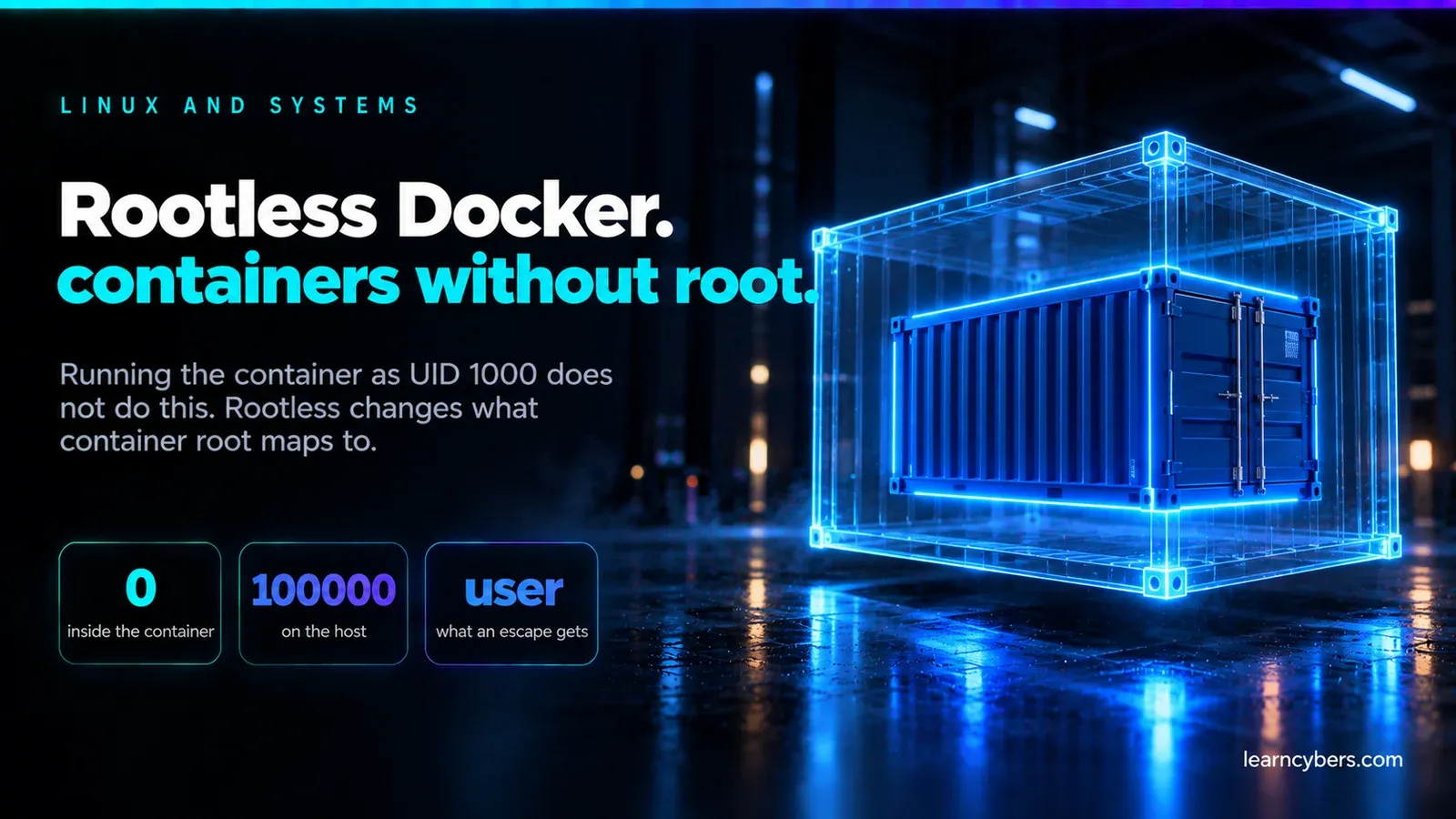
Docker's default arrangement puts a root-owned daemon between you and your containers. Anyone who can talk to the Docker socket can start a container that mounts the host filesystem, which means access to the socket is functionally equivalent to root on the host. That is not a bug — it is the design — and rootless mode is the answer to it.
Rootless Docker runs the daemon and the containers as an unprivileged user. A container escape lands the attacker in that user's account rather than in root. The blast radius shrinks from "the machine" to "one user", and for most application workloads that is the difference that matters.
What rootless actually changes
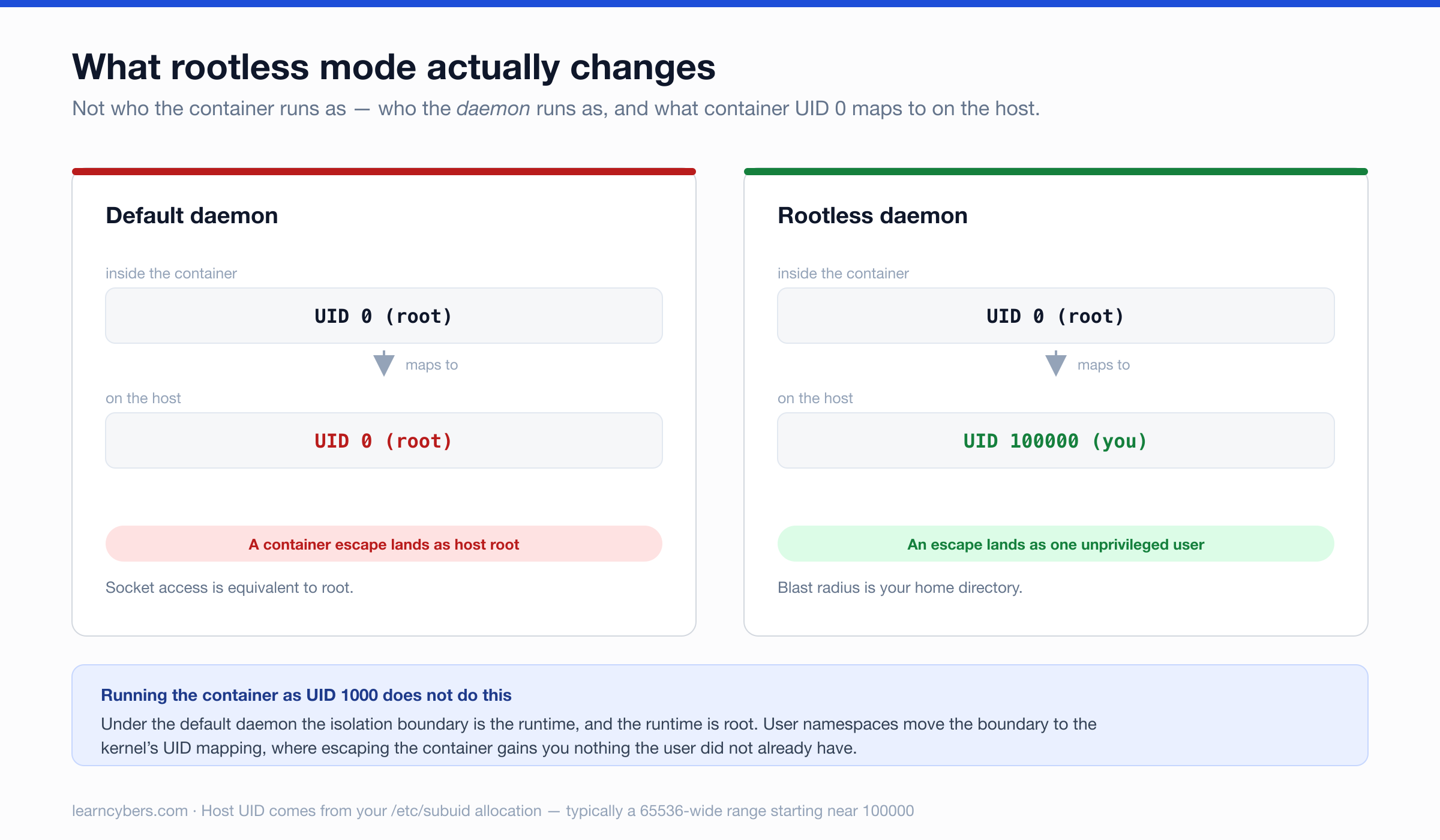
In the default setup, dockerd runs as root and containers run as whatever UID the image specifies. Running a container as UID 1000 does not help: the daemon is still root, and the isolation boundary is the container runtime rather than the user account.
Rootless mode changes who the daemon is. It runs under your login, and uses user namespaces to map container UIDs onto a range of unprivileged host UIDs allocated to you. Root inside the container becomes an ordinary, unprivileged UID on the host — typically something in the 100000–165535 range.
The practical test of whether this matters to you: if a container in your environment were compromised tomorrow, what could the attacker reach? Under the default daemon, everything. Under rootless, your home directory and whatever that user can already do.
Prerequisites
Before installing, confirm the host supports it. Two things are commonly missing on older or minimal systems.
# Subordinate UID/GID ranges must exist for your user
grep "^$(whoami):" /etc/subuid /etc/subgid

# Expect something like:
#   /etc/subuid:youruser:100000:65536
#   /etc/subgid:youruser:100000:65536
If those lines are absent, add them — 65536 is the conventional range size:
sudo usermod --add-subuids 100000-165535 --add-subgids 100000-165535 "$(whoami)"You also need uidmap installed (newuidmap and newgidmap), and on Debian and Ubuntu unprivileged user namespaces must be permitted:
sudo apt install -y uidmap dbus-user-session
sysctl kernel.unprivileged_userns_clone    # must be 1 where the knob exists
Installation
# Install as your own user — no sudo on this command
dockerd-rootless-setuptool.sh install

# Run the daemon under your user's systemd instance
systemctl --user enable --now docker

# Point the client at the rootless socket
export PATH=$HOME/bin:$PATH
export DOCKER_HOST=unix:///run/user/$(id -u)/docker.sock
Put those two exports in your shell profile, otherwise the client silently talks to the system daemon and you will conclude rootless "did not work" while actually using the root daemon.
One more step is easy to miss. User services stop when you log out unless lingering is enabled, which means containers die when your SSH session ends:
sudo loginctl enable-linger "$(whoami)"Confirm you are where you think you are:
docker info --format '{{.SecurityOptions}}'
# should include: name=rootless
The limitations, and what to do about them
Ports below 1024
An unprivileged process cannot bind them. Three options, roughly in order of preference:
- Put a reverse proxy in front. Nginx or Caddy holds 80 and 443; your rootless container listens on 8080. This is the arrangement most production systems want anyway.
- Grant the capability to the rootless port forwarder:
sudo setcap cap_net_bind_service=ep $(which rootlesskit). Narrow, but it is a capability on a binary you should understand before granting. - Lower the unprivileged port floor:
sysctl net.ipv4.ip_unprivileged_port_start=80. System-wide, and it affects every process, so prefer one of the others.
Client IP addresses disappear
This one surprises people in production. The default port forwarder, rootlesskit in its builtin mode, rewrites the source address — so your application logs every request as coming from the gateway. If you are rate limiting, geolocating, or auditing by IP, everything sees one address.
Switch the forwarder to slirp4netns, which preserves the source address at some throughput cost:
# ~/.config/systemd/user/docker.service.d/override.conf
[Service]
Environment="DOCKERD_ROOTLESS_ROOTLESSKIT_PORT_DRIVER=slirp4netns"systemctl --user daemon-reload && systemctl --user restart dockerStorage drivers
Rootless needs overlay2 with unprivileged overlayfs support, which kernels from about 5.11 onward provide. Without it Docker falls back to fuse-overlayfs, which works and is noticeably slower on write-heavy workloads. Check which you are on with docker info | grep "Storage Driver".
Other gaps
- ICMP:
pingfrom inside a container fails unlessnet.ipv4.ping_group_rangeincludes your GID. - Device access: passing
/devnodes through is restricted, which rules out most GPU workloads and anything touching hardware directly. - Some networking modes:
--network hostbehaves differently, since the "host" namespace is your user's, not the machine's. - cgroup limits: memory and CPU limits need cgroup v2 with delegation enabled. On systemd hosts that is usually already the case.
When rootless is the right choice
Use it for: web applications and APIs, CI runners, developer machines, multi-tenant hosts where several people run containers, and anywhere a container processes untrusted input. These are the cases where the isolation gain is real and the limitations never come up.
Do not use it for: GPU workloads, containers needing device passthrough, system-level tooling that legitimately manages the host, and storage-heavy work where fuse-overlayfs is your only option.
What rootless does not give you
It is worth being precise, because rootless is sometimes described as though it solves container security.
It does not protect you from a compromised image doing whatever your user can do — reading your files, using your credentials, making outbound connections. It does not stop a container consuming all available CPU or memory unless you set limits. It does not prevent a kernel exploit, since the kernel is still shared. And it does not make a container running as root inside the namespace harmless to its own contents.
What it does is remove one specific and very large escalation path: container escape to host root. That is worth having, and it is not the whole of container security.
Verifying it works
# The daemon should be running as you, not root
ps -o user= -p "$(pgrep -f 'rootlesskit.*dockerd' | head -1)"

# Inside a container, root should map to a high host UID
docker run --rm alpine id            # uid=0(root) inside
ps -o user=,pid= -C sleep            # host view shows your mapped range
Run the second pair together: start docker run --rm alpine sleep 60 in one shell and inspect the process from another. Seeing UID 0 inside and a six-figure UID outside is the whole point of the exercise, and it is worth confirming once rather than assuming.